
Overview
The BambooHR integration allows Block 64 to securely pull usage data from your BambooHR environment.
This connection enables visibility into BambooHR activity and provides SaaS usage insights that help organizations understand adoption trends and engagement levels across their HR platform.
Once connected, BambooHR data will appear in:
Reports → SaaS → Usage – Tracks user activity trends, adoption metrics, and inactive accounts.
This includes BambooHR usage metrics across your organization.
The Credentials Needed for This Integration
To connect BambooHR with Block 64, you will need:
-
BambooHR Organization URL
Your company’s BambooHR domain (e.g.,https://yourcompany.bamboohr.com). -
API Key
Generated from your BambooHR user profile.
Only BambooHR Administrators can generate API keys.
You must enter both values into the Block 64 integration panel to complete the connection.
How to Add This Integration
Follow these steps to create the API Key in BambooHR and connect it to Block 64:
1. Get your BambooHR Organization URL
This is the domain you use to access BambooHR (e.g., https://mycompany.bamboohr.com).
Copy this URL; you will need to enter it in Block 64.
2. Generate an API Key in BambooHR
-
Log into BambooHR as an administrator.
-
Click your profile icon (bottom-left corner of the navigation panel).
-
Select API Keys from the menu.
-
Click Add New Key.
-
Enter a name for the API Key (example: Block 64 API).
-
Click Generate Key.
-
Copy the API Key shown; this will be entered into Block 64.
3. Add the credentials to Block 64
-
In the Block 64 Insights portal, go to Integrations → BambooHR.
-
Enter your:
-
BambooHR Organization URL
-
API Key
-
-
Click Connect to finalize the setup.
After connecting, the integration will show as Active, and BambooHR usage data will begin populating in Block 64.
Why Is This Integration Failing?
The most common causes include:
Incorrect Organization URL
Ensure the domain is correctly formatted (e.g., includes .bamboohr.com).
Invalid or Deleted API Key
If the API Key was removed or regenerated in BambooHR, Block 64 will no longer be able to access data.
Insufficient Permissions
The API Key must be created by a BambooHR user with administrator-level access.
API Restrictions or Firewall Rules
Make sure BambooHR API endpoints are not blocked by security controls.
To fix this:
-
Generate a new API Key and reconnect.
-
Re-enter the Organization URL to ensure accuracy.
-
Confirm the integration is marked Enabled in Block 64 Insights Portal.
How to Remove This Integration
From Block 64:
You can disable this integration temporarily by clicking on the Enable switch in the integration.

Alternatively, you can disconnect the integration entirely by clicking on the Disconnect button.
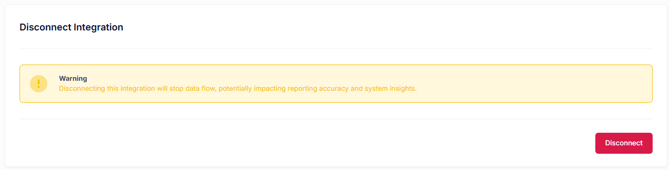
⚠️ Disconnecting will stop all BambooHR usage data collection and reporting.
From BambooHR
-
Go to Profile Icon → API Keys.
-
Locate the key used for Block 64.
-
Click Delete to revoke its access.